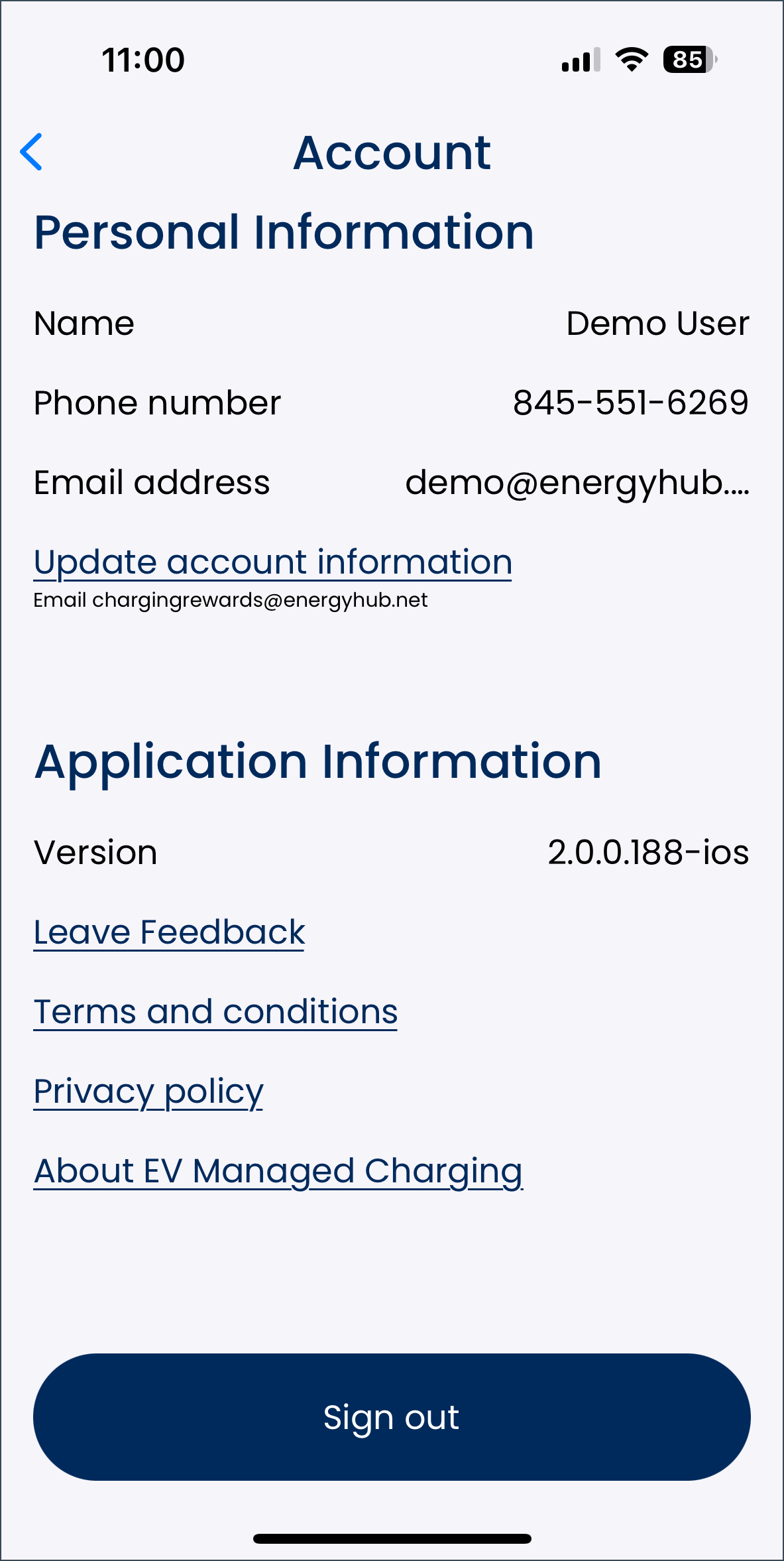
To view or make any changes to their user account, or to sign out of the app, the driver selects the person icon on the top right of the home screen. This opens the user account screen.
The information on the user account screen is separated into three sections:
- Personal information
- Name
- Phone number
- Email address
- Update account information: selecting this link opens an email to chargingrewards@energyhub.net. The driver must provide all their current account information to verify their identity before clearly explaining which of their details they want changed.
- Application information
- Version number
- Leave feedback: allows the driver to rate the app and provide feedback on what they do and do not like.
- Terms and conditions: a link to view the terms and conditions for utilizing EnergyHub’s products.
- Privacy policy: a link to view the privacy policy for EnergyHub’s products.
- About managed charging: provides information on the managed charging program, including its specific name for the driver's utility and its benefits.
At the bottom of the user account screen, the driver can select the “Sign out” button to log out of the app.
The arrow at the top left of the screen returns the user to the home screen.